Plus· to get started
You sell now and then, on your own.
€9.99/ month
First month €1 (≈ $1.08)20 items a month
- All five photos, studio-made
- The listing written and the estimated price
- Unlimited phones · watched from another computer
Five phone photos go in. Five studio shots come out, with the listing written and the price worked out. This page is the machine from the inside: every part, its measurement and why it exists. It's long on purpose and it builds from small to big. If you only read one section, read number 10: that's where we open up Google's and Cloudflare's infrastructure and measure their ceilings.
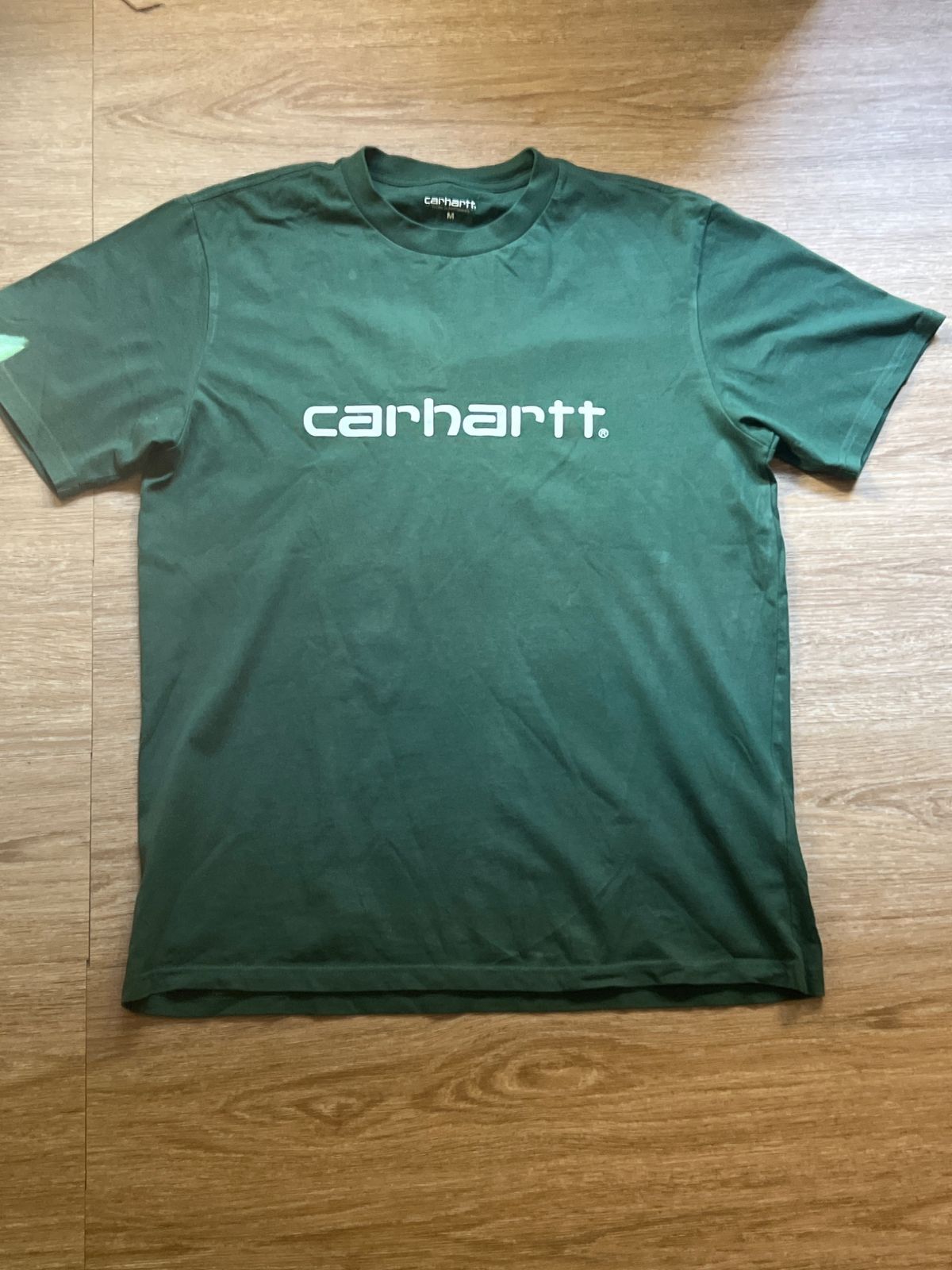
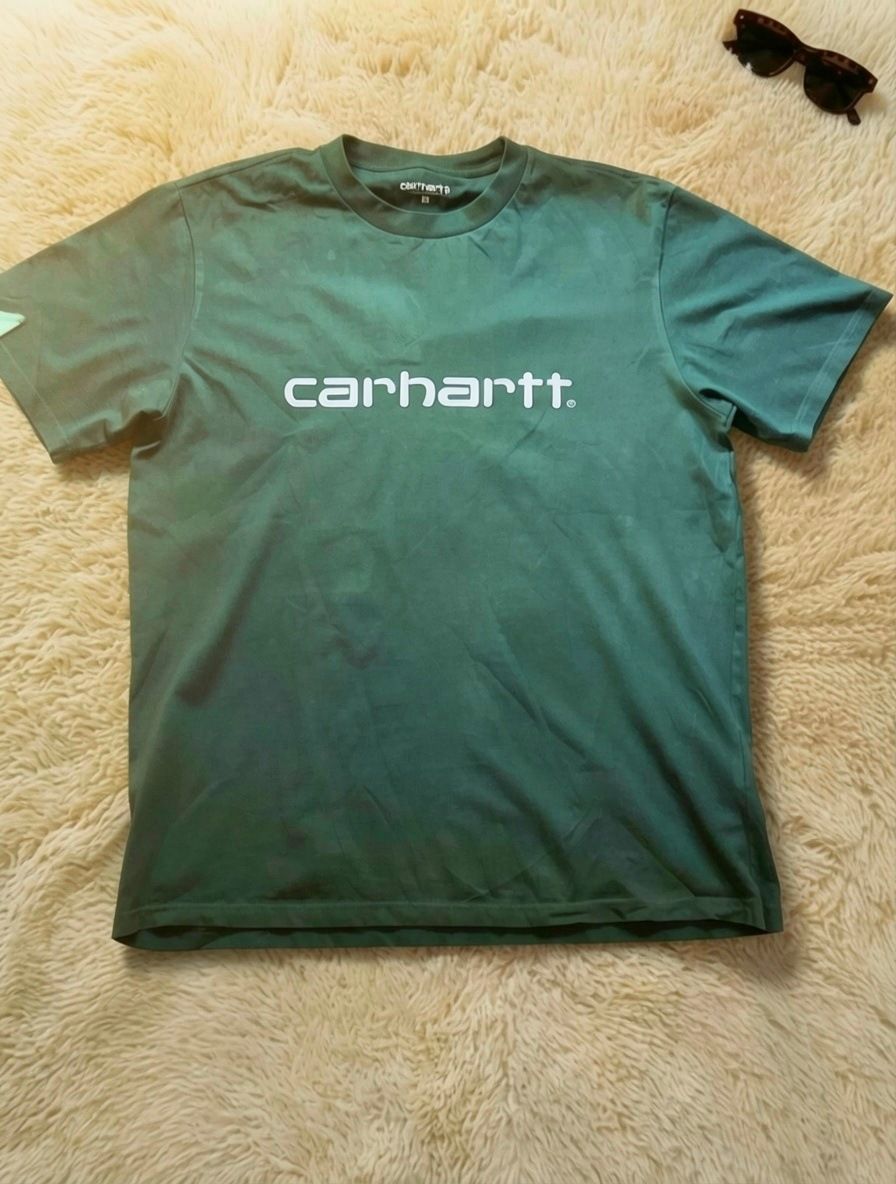
The same T-shirt · drag to compare
It looks like an artificial intelligence app. Inside, it's something else.
For twenty years there have been two ways to sell software. For this, neither one worked.
The first is the good old desktop program: you install it and everything happens on your computer. Your data never leaves home. But the artificial intelligence that builds a studio photo doesn't fit in a laptop.
The second is SaaS: you upload your photos to another company's server, that server does the work and sends it back. The artificial intelligence is the real thing. But your photos, your items and your pace of work live on someone else's computer, and every call to their machine is baked into the price.
STC Prime is the third. We call it STC: Software que Trabaja en tu Casa (software that works from your home). SaaS, the other way round.
Your photos don't reach us. Your records don't reach us. Your prices don't reach us.
| Classic program | SaaS | STC Prime | |
|---|---|---|---|
| Where it installs | On your computer | On someone else's server | On your computer |
| Where your photos are | On your disk | In their cloud | On your disk |
| Who does the heavy lifting | Nobody (it doesn't fit) | Their server and resources | You rent GPUs per use from your PC |
| What the maker receives | Nothing | Everything you upload | An item counter |
| What happens if they shut down | You keep working | You lose access and your data | Your photos and records stay on your disk |
| Who pays for the photo compute | — | They do, inside the price | You, direct to provider (from $0.01 per item) |


It isn't a marketing line: it's an architecture. The image engine is one part; the house is everything else. The rest of this page is its consequences, from the smallest to the biggest.
Let's start with the smallest thing: one item.
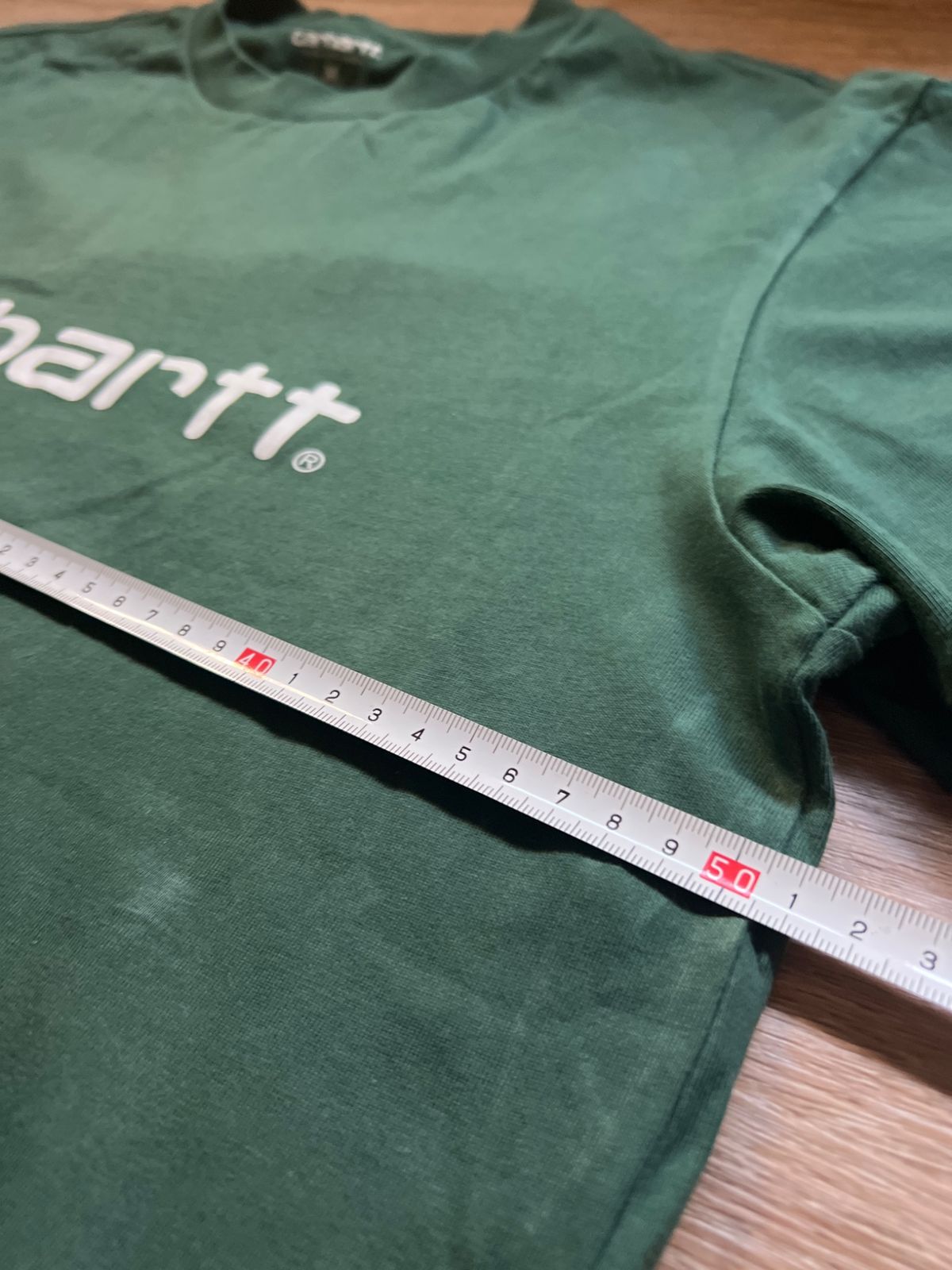
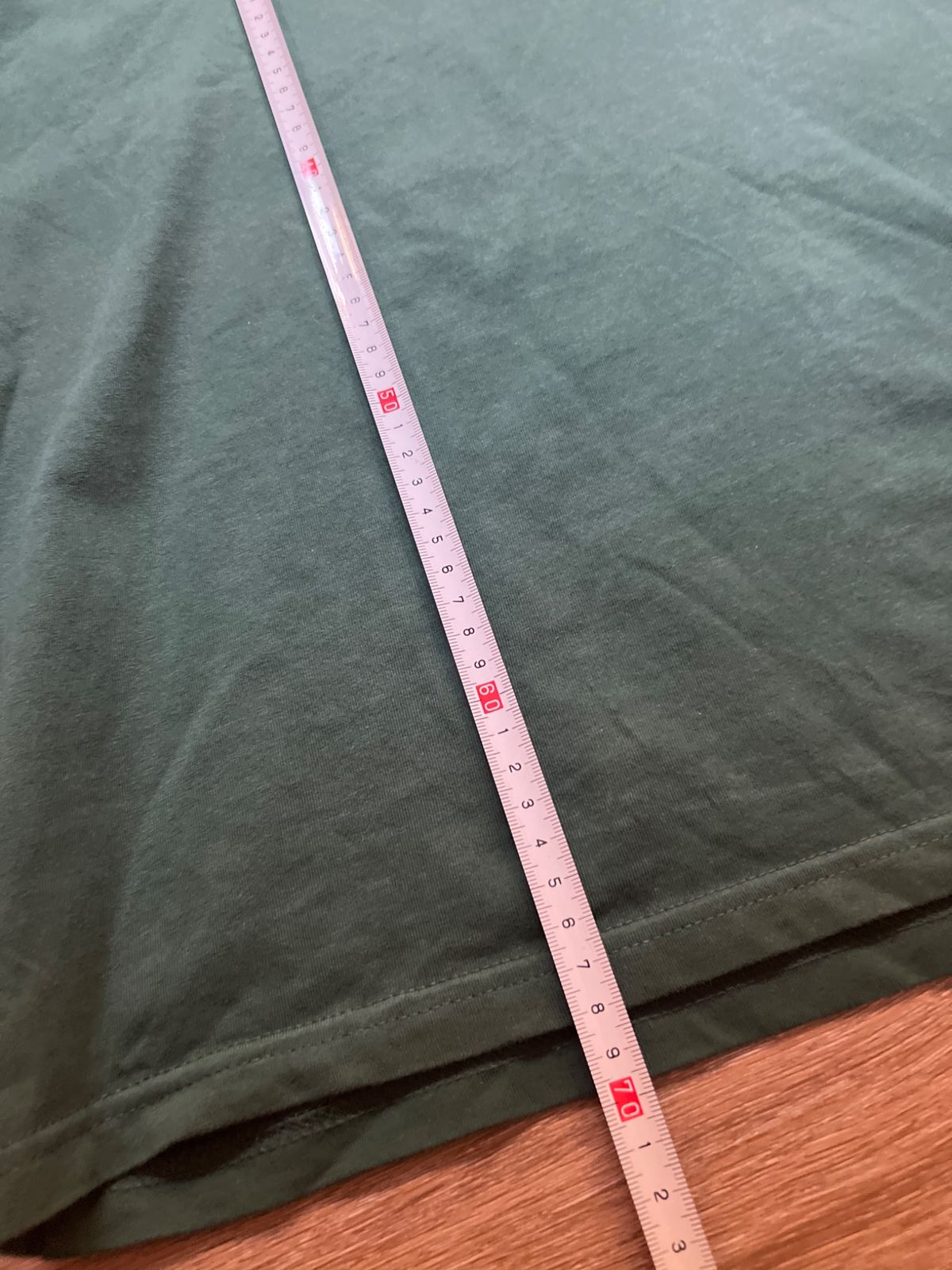
A green cotton T-shirt, the kind that sells every day on Vinted. Five photos taken on the floor at home. This is its route, end to end, from the table to the listing.
A few minutes per item, and they aren't even yours: while the computer works on this one, you're already on the next.
The result doesn't end on a screen. It ends in a folder of yours.
Ordinary photos, on the floor at home. No tripod and no special lighting.
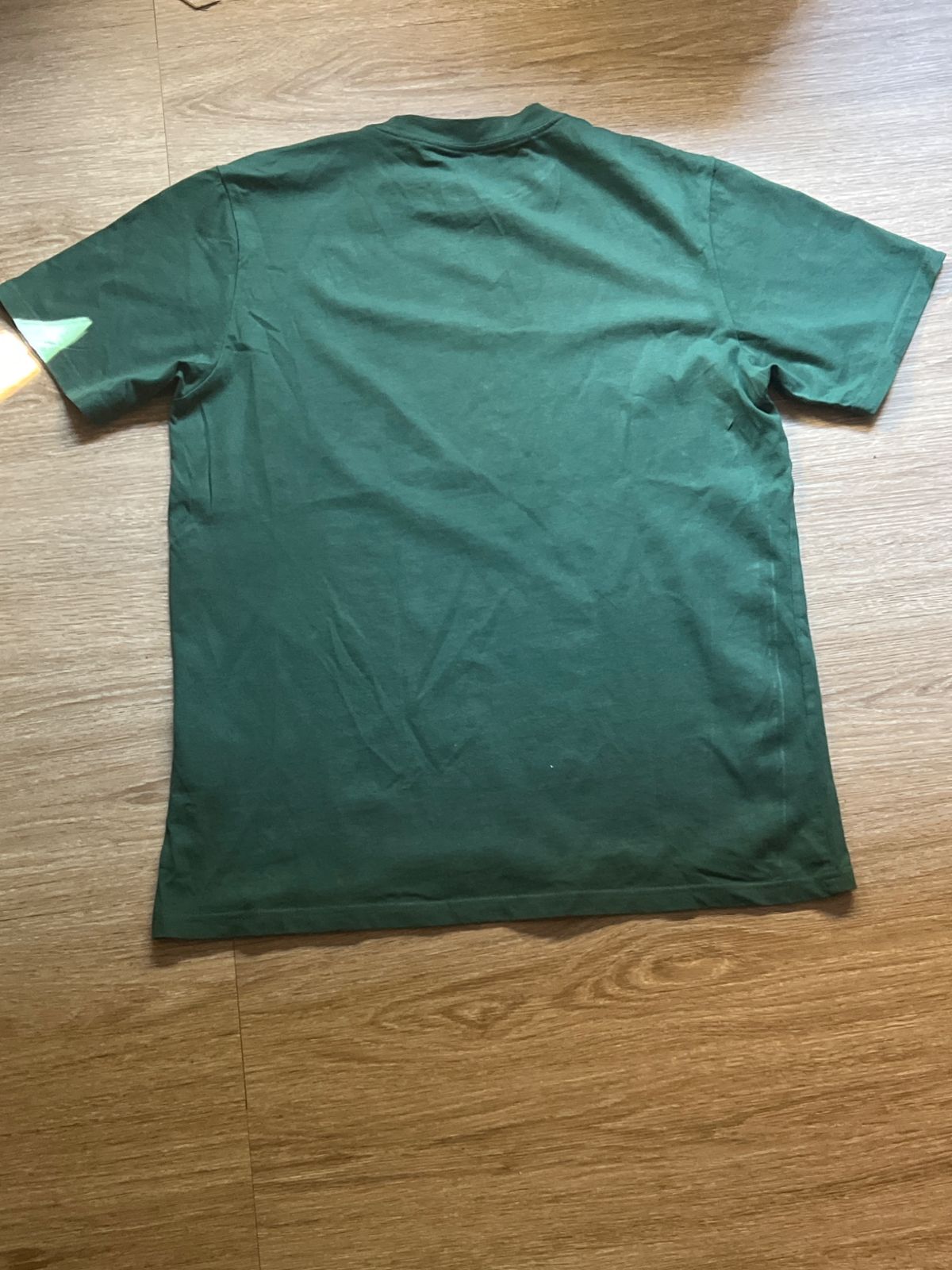
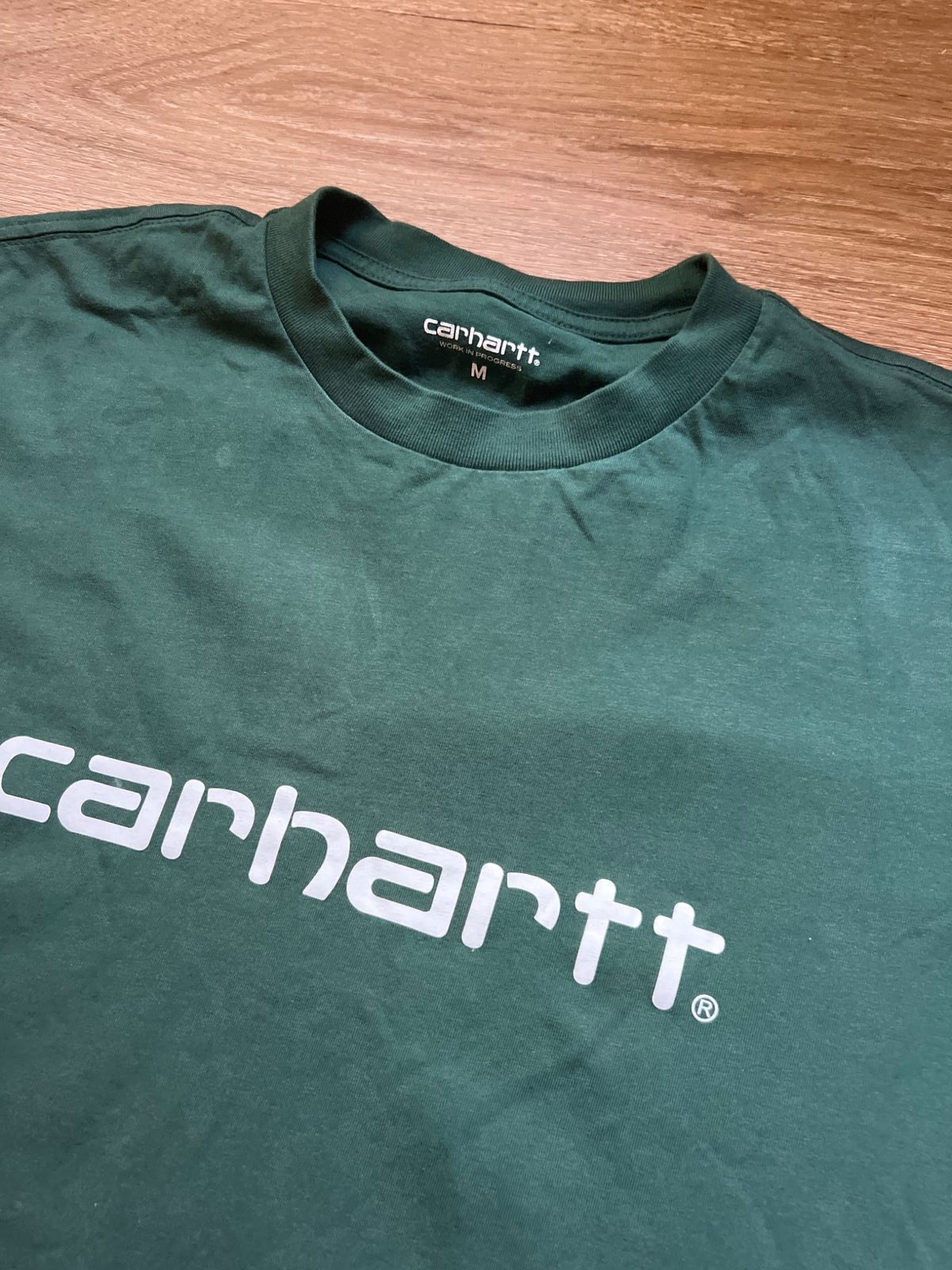
That's the journey seen from outside. Now, stop by stop, with numbers.
The computer shows a QR code. You scan it with the phone's camera, once, and you're in. No app to install. No account to create. No Bluetooth to pair. The phone opens a page in its browser, served by your own computer.
Over your Wi-Fi. Phone and computer are on the same network, at home or in the warehouse, and talk to each other directly. On that trip the photos never go out to the internet.
A 12-megapixel phone photo, before shrinking, weighs about 3 to 4 MB (we measured five: 2.9 to 3.9 MB). Five photos would be about 16 MB per item crossing your Wi-Fi. STC Prime shrinks them on the phone itself, before sending them, to a longest side of 2,048 pixels at quality 88 out of 100. That's the detail needed to read a label and a tape measure, without the weight that adds nothing. Measured with real photos, already shrunk that way: a photo weighs 0.5 to 0.9 MB depending on the phone.
original_photo  (4,032 × 3,024 px, 3 MB)
  → shrink until the long side is 2,048 px
  → save as JPEG at quality 88%
sent_photo      (2,048 × 1,536 px, 0.5 to 0.9 MB depending on the phone)
In plain words: the photo gets smaller in size, not in useful quality. A label is still readable at 2,048 pixels. What gets thrown away is what no eye was going to use. A photo that already came out small from the phone doesn't even get shrunk: it just gets saved again.
An item, with its five photos at that size, weighs 2.7 to 4.2 MB depending on the phone. Fifty phones each sending an item at the same moment make between 130 and 210 MB. The network on site moves it, and whatever doesn't fit at once waits its turn. So does the queue.
The program doesn't assume your Wi-Fi has room to spare. It measures how long each upload takes and how many get cut off. If several phones are sending at once and the network on site can't carry them all, it slows down by itself: it lets fewer phones send at the same time, so each one finishes sooner and fewer get cut off. The phone keeps the photos and retries on its own. They take a little longer, but they aren't thrown away. When the network is fine again, the pace comes back up little by little. And it tells you in the panel, with what you can do: move the router closer to the phones, plug the computer in with a cable or, if needed, get a more powerful router.
While you work, each phone asks the computer how its items are doing, every few seconds. It's a small question repeated all day, so it has to be cheap even when the history spans months. It is: with 600 items stored, in our test the answer weighs about 2 KB and takes 4 milliseconds to prepare.
The first version we built went back over the whole history on every question. With 600 items stored, the answer weighed 1.3 MB and took 122 milliseconds. Now it weighs 2 KB and takes 4: 99.8% less weight and about 30 times faster. With 1,800 items stored, from 3.9 MB and 394 ms to 6 KB and 11 ms.
the phone asks: how is everything?
  → batches older than a day, already finished: counted once and remembered
    as long as their folder doesn't change
  → today's batches: looked at for real
  → the answer travels compressed, and for old batches only the count comes through
answer: 2 KB (600 items stored) · 6 KB (1,800 items stored)
In plain words: the computer doesn't go back over what finished yesterday. It looks at today and remembers the rest. That's why the phone stays quick after months of use, and the Wi-Fi stays free for what matters: the photos.
When two people send an item at the same instant, the computer gives each one its own number and its own folder, with no overlap. We tested it by forcing it: forty uploads fired at once against the same computer.
an upload arrives
  → close the lock
  → look at the last number in the queue: P06 → this one is P07
  → create folder P07
  → open the lock
  → save the photos, outside the lock, no rush

another upload arrives in the same millisecond
  → waits that millisecond → P08
In plain words: only the moment of picking the number goes single file, and it lasts as long as creating a folder. The slow part, saving the photos, happens outside. So forty simultaneous uploads produce forty items, with no folders overwritten and no numbers repeated.
One phone is easy. It gets interesting when there are fifty.
A warehouse isn't one person with a phone. It's several people, each with their own, non-stop, and a computer in the office. The program was designed for that from day one.
The queue doesn't depend on anyone watching the screen. One item goes in. The next one can already be under way.
So far, transport. Now comes the part an ordinary program doesn't do: choosing.
A studio photo isn't “remove the background and put a white one in”. It's a set, an item that fits in it and a light that ties them together. The scene has to suit the item. This is where an ordinary program drops in any backdrop, and STC Prime chooses.
58 backdrops photographed for this: 29 sets, each in two versions. One styled with trousers and shoes, for tops, and a clean one, with nothing in it, for bottoms. A T-shirt doesn't go on an empty set; a pair of trousers never goes on a set that's already wearing another pair.
For each one we store its real tone, measured in the centre, which is exactly where the item will land: a number between 0 (black) and 1 (white). Also whether it's light, mid or dark, and the styles it belongs to. The program chooses by the number, not by the name: the name is what was asked for when the scene was photographed; the tone is what came out.
When the label is read, the computer checks that the item type matches what the phone assumed. If the phone said “top” and the label says “trousers”, it corrects the type and redoes the whole item with the right set. On its own, and only once.
When choosing, it also looks at your recent items and avoids repeating the same set, so a batch of twenty items doesn't look shot on the same rug. And an item only goes on a styled set if it has been recognised as a top. When in doubt, the clean set wins: the worst case is a plainer backdrop, never a skirt on top of someone already wearing trousers.
A light item needs a scene that separates it. A dark item needs the opposite. The backdrop isn't picked by the scene's name: it's picked by what happens when the item lands on it. It isn't decoration. It's legibility.
Picking the set is half the job. The other half is not letting anyone notice there are 29.
There are 29 sets. A seller with 500 items a month repeats them. And still their photos don't look repeated. This is why.
When we see a product photo, the first thing we take in is where the light comes from, how the shadow falls and how warm it is. The texture of the backdrop comes later, and only if we look for it.
Two photos with the same set and different light read as two different photos. Two photos with the same set and the same light read as a template.
A session decides where the light comes from, from what height it falls and how warm or cool it is. It's decided per item, not per photo. There are 72 lighting sessions and, with the 58 backdrops, that makes 4,176 combinations before the item even counts.
72 lighting sessions × 58 backdrops    = 4,176 combinations
tops only: 72 × 29                     = 2,088
2,088 ÷ 500 items a month              ≈ 4 months of combinations
In plain words: even if you only sell T-shirts, there are distinct ways to photograph them for more than four months of a seller doing 500 items a month. It isn't a rota that runs out and starts over: it's a share-out across thousands of options.


The same T-shirt on the same rug. The only thing that changes is the lighting session.
All the photos of an item share the same room and the same light. That's why the five look taken in the same ten minutes, in the same room, and not like five loose photos stuck into a listing.
The session doesn't come from rolling a dice: it comes from a fingerprint of the item's own folder. It doesn't depend on chance. It depends on the item. Same item, same light, today and a month from now.
The photo sells the click. What sells the item, and what prevents a return, is the listing.
The listing shouldn't sound more certain than the photograph. That's where many artificial intelligence tools do their worst: they embellish, filling in what they don't know with something that sounds good. Here the rule is one: what can't be read doesn't get written.
From photo 3. If the label can't be read, the size stays empty. It isn't guessed from the shape.
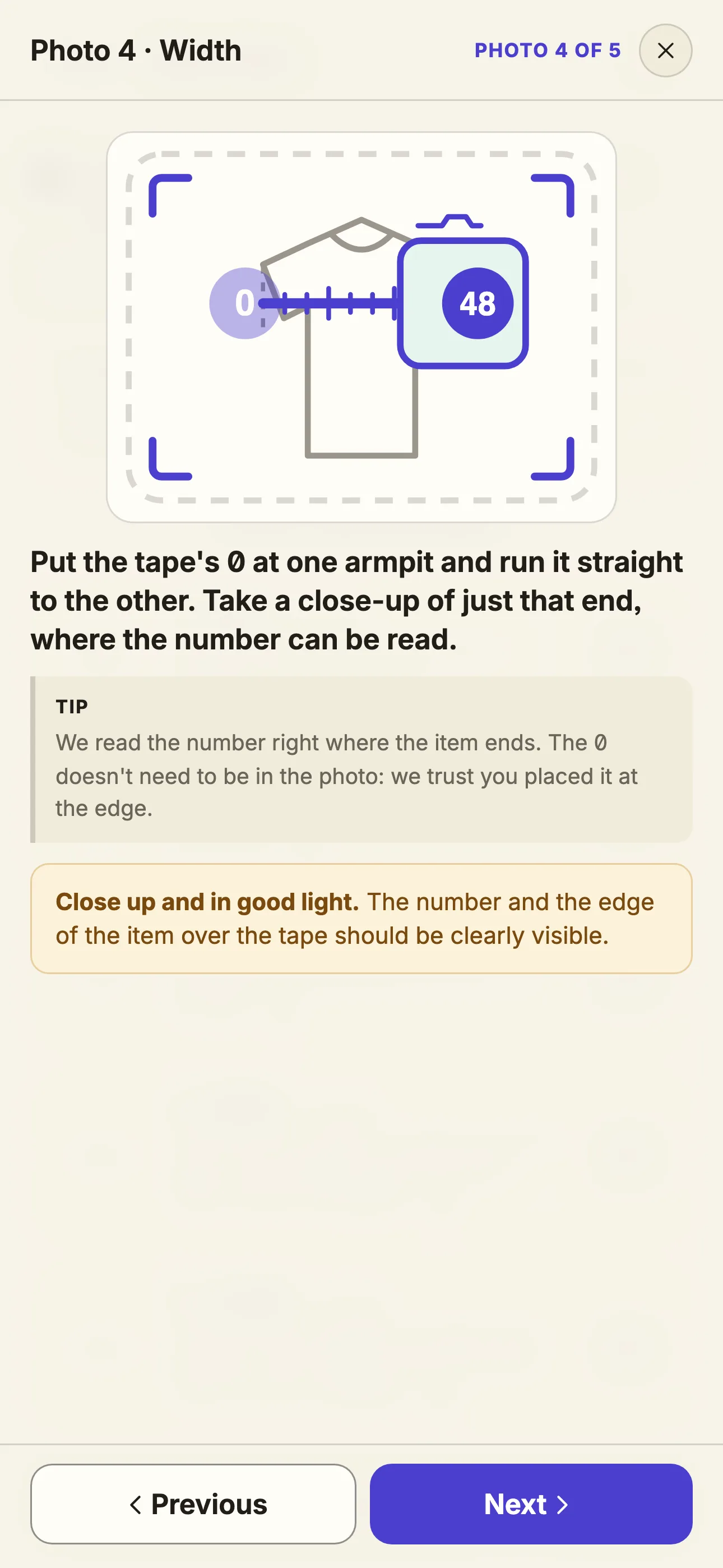
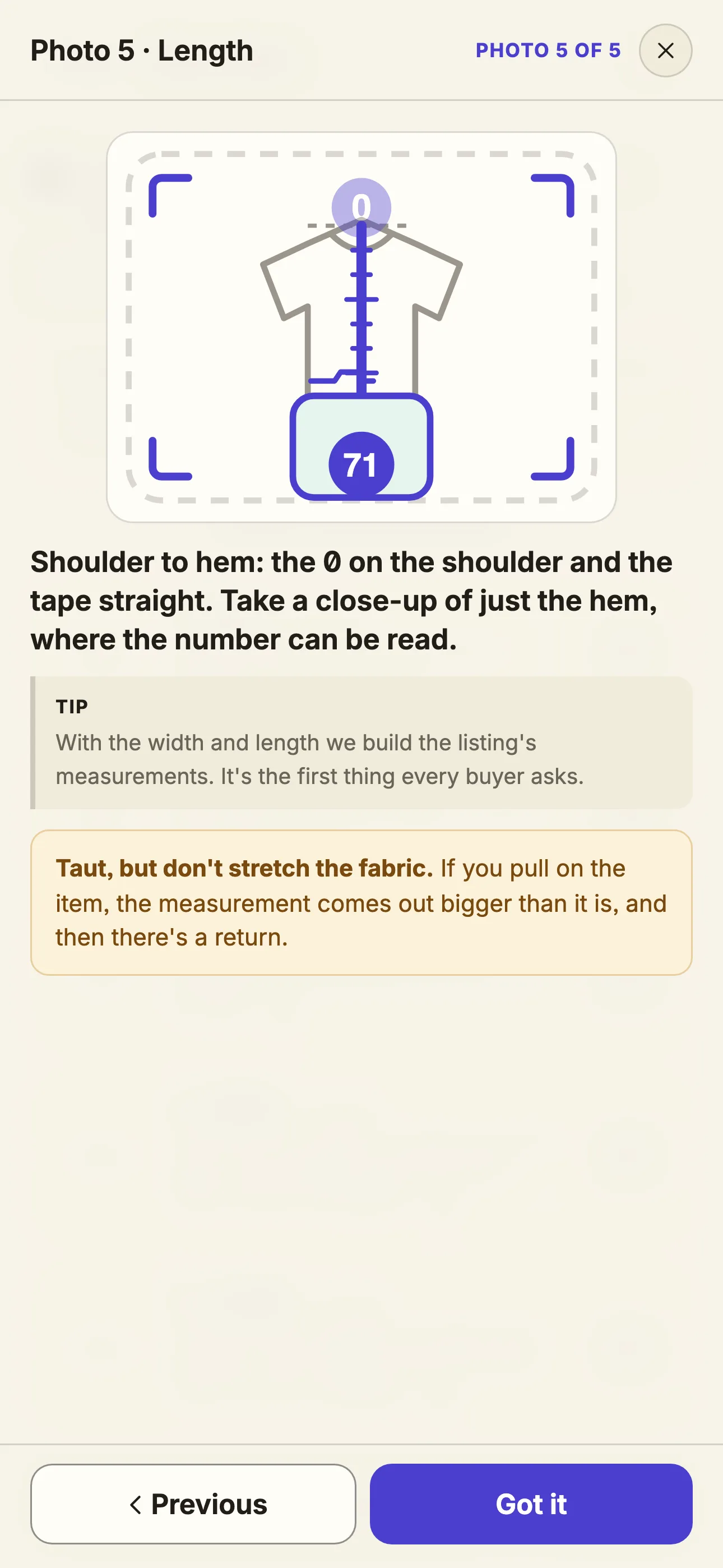
From photos 4 and 5, yours, not the studio ones. Before writing down a number, the essentials are verified: that the tape runs straight across the garment and that the final number is clearly legible. If anything cannot be confirmed with certainty, the measurement stays blank and the panel tells you why (“the tape is at an angle”, “the number can't be made out”), so you know which photo to retake. A missing measurement takes twenty seconds to retake. A made-up one ends in a return.
The suggested price doesn't come from an opinion. It doesn't come from scraping somebody else's website either — the kind that works today and moves a button tomorrow. It is calculated, for 114 countries.
Two independent market sources say what that item costs new in your country and which tier the brand sits in. If they disagree, the program doesn't risk a number: it leaves the field empty and you decide. If they agree, it does the sum: retail value times the measured second-hand ratio for that tier, adjusted for the condition you picked.
Out come three references in your currency: one price to sell fast, one for balance, and a ceiling you can defend. It doesn't decide for you. It gives you a visible sum to start from.
New with tags, very good, good… The program puts it down as is. The title and the description are in your language, with a seller's voice, not a catalogue's. The brand is written the way it appears on the label.
{
  "titulo":                        "carhartt camiseta M verde oscuro",
  "medidas_cm":                    { "ancho": 50, "largo": 70 },
  "medidas_faltan":                false,
  "precio_eur":                    20,
  "precio_para_vender_rapido_eur": 14,
  "precio_techo_eur":              26,
  "nuevo_estimado":                77,
  "gama":                          "premium",
  "fiabilidad":                    "dos_coinciden",
  "precio_de_donde":   "Estimated for Spain: new ~77 EUR (premium),
                        used in 'very good' condition ~18 EUR.
                        Two independent estimates agree."
}
In plain words: the two market sources gave a similar retail price, so they agreed, and the program did the maths and published a number. If they'd disagreed, this field would say why there's no price, instead of making one up. And when the tape can't be read, the record doesn't pretend either: the one for another item says "ancho": null (width) and, as the reason, “the tape doesn't run straight across the item”. It opens in any text editor; there's nothing hidden inside.
Reading well is half the job. The other half is proving it was read well.
Every photo that comes back from the network passes through a court before it ever touches your disk. We call it the Judge. It is not a fashionable model and not a generative artificial intelligence: it is a pure mathematical formula that lives inside your program and decides, there and then, whether the image the server returned gets kept or thrown away.
Here is the contrast that puts it in perspective. Generating a studio photo takes between 6 and 25 seconds of round-trip time over the Internet. The Judge, however, examines that photo in about 3 hundredths of a second: 31.7 milliseconds median across the 59 reviews we timed on real photos. That makes it between 190 and 780 times faster than the network itself. It is like a customs inspector checking every package in a fraction of the time it takes the truck to reach the warehouse.
And because the network will never be that fast, we designed the Judge for the worst possible case. If 600 photos arrived in a single minute, your computer would process them in under 20 seconds. It would have forty seconds left over every minute, doing nothing. The bottleneck will always be the connection, never the Judge.
The Judge uses the cores you have, minus one: it always leaves one free for the system, so your computer keeps responding to you. An eight-core PC judges seven photos at once; a four-core one, three. No traffic lights, no queues. It does not call any server. It does not spend credits. It does not need Internet. It runs on your machine with only two tools: pure mathematics and your own hardware.
The Judge does not look at the whole photo: it looks at the drawing of your item — the logo, the print, the seams — and checks that the returned image still has the same one, in the same place, with the same shape. If it doesn't match, it discards the photo and the engine retries it on its own. It compares shape, not colour, so it does not judge colour or background: it judges that your item wasn't swapped out.
We also know what it cannot do. The Judge cannot see what was never in your photo: it will not detect a towel surviving under the T-shirt if nobody asked to remove it, it will not straighten a crooked measuring tape, and it will not flag a blurry label. When it cannot know, it does not fill the gap. The honesty of its limits is what makes you trust its successes.
All of that—photos, listing, and price—ends up in one place. Yours.
When the engine finishes there's no cloud to download from and no email to wait for. You open a folder on your computer and everything is there: your phone photos, the studio ones, the listing and the price.
You open it in File Explorer. You copy it to an external drive. You delete it. Nobody asks you for permission and nobody can take it away.
If it feels odd that nobody else has your photos, it's because you've spent years paying for places that keep them.
lotes/
└── L01/                               ← today's batch
    └── P01-prenda/                    ← the first item
        ├── entrada/                   ← your photos, exactly as they came from the phone
        │   ├── prenda.jpg   detras.jpg   cuello.jpg
        │   ├── ancho.jpg    largo.jpg
        │   └── datos.json
        ├── L01-P01-01-principal.jpg   ← the studio ones
        ├── L01-P01-02-detras.jpg
        ├── L01-P01-03-cuello.jpg
        ├── L01-P01-04-medidas-ancho.jpg
        ├── L01-P01-05-medidas-alto.jpg
        ├── L01-P01-06-defecto.jpg     ← only if you took the defect photo
        └── ficha.json                 ← the listing from section 7
In plain words: names you can read. Batch 1 (L01), item 1 (P01), photo 1, “principal” (main). No odd database and no format of our own: they're JPGs and text.
Measured on items actually finished: between 4 and 6.5 MB each, with its phone photos and its studio ones inside. A seller with 500 items a month fills between 2 and 3.3 GB a month. A whole year of a warehouse fits on an ordinary laptop's disk.
The panel keeps the list of all your items and has a button to export it as CSV: a file any spreadsheet opens. If you ever leave STC Prime, your files don't disappear. They never needed us in order to exist.
Your email, your plan, how many items you've done this month and just enough to protect your account (the full list is on the legal page). No photos. No records. No prices. It isn't that we don't look at them: they never reach us.
So far, what you can see. Now, what you can't: what it costs, inside, to turn five phone photos into five studio shots. It's the part that gave us the most work, and the one we most enjoy telling.
The first complete version of STC Prime worked with Google: its artificial intelligence, with the engine rented directly by the seller, from their computer. The app worked end to end, just as you see it today. And every photo was paid for in tokens.
A chunk of a word: around four letters. “Grey hoodie size M” is a handful of tokens. A photo, for a model, is thousands: the model “reads” the image as a grid of chunks, and every chunk costs. Fewer tokens per photo means more photos on the same quota. For weeks, it was the figure that ruled everything.
The first time we measured it, the engine was using between 45,000 and 50,000 tokens for every studio photo. It worked. It was expensive. In the middle of a test, in the small hours, one of us wrote it down like this: “Where does it get 9,000 tokens for two images from? It makes no sense at all.” They were right.
The normal reaction would have been to change plan. Ours was to open the process up and measure it from the inside.
We reorganised how the engine receives the job. With real photos, a complete photo dropped to about 16,700 tokens: just over a third of what it used to spend. The same photo, measured photo by photo. And that's where the good part started.
With the photo at 16,700, we measured step by step where every token went. And we saw something nobody looks at. A photo had three moments. First, the engine read the job, made its decisions and built the image: 4,808 tokens. Then, with the photo already saved, it did what any assistant does after finishing a job: talk about it. 6,262 tokens to explain what it had just done. And 6,304 more to wrap up the reply, sign-off included. A full 72% of the bill went on talking about a photo that was already done.
A real photo · the crossed-out stretches are no longer paid for.
The fix was easy to say and hard to find: the moment the photo is safe on disk, the program hangs up. Like a phone. The photo is done; the explanation and the goodbye don't get written, and what doesn't get written doesn't get paid for.
We didn't pay for the explanation. We didn't pay for the sign-off.
read the job, decide and build the image     4,808
explain the result                           6,262
wrap up the reply                            6,304
                                             ──────
total                                       17,374   → all of it was paid for

photo on disk → hang up                      ≈ 4,800  → the rest doesn't exist
In plain words: more than two thirds of the spend came after the image already existed. Cutting it didn't touch a single pixel of the result.
Measured: 4,914 tokens on average across five real photos, and 4,573 over 25 photos inside the real program. From between 45,000 and 50,000 to under 5,000: 90% fewer tokens per photo, a photo about ten times lighter, without touching a pixel.
Each bar is a real measurement, from a different day.
With the photo at a tenth of the cost, we did the sum anyone would: how many fit?
Google doesn't charge per photo. It shares out its artificial intelligence in 5-hour windows that renew on their own, and it shows a counter with what you have left.
We looked at it before and after five photos: they had used 0.28% of the window. And those were the expensive ones, the 16,700-token photos. With the photo already under 5,000, we ran the numbers again.
A warehouse doing 500 items a month takes 2,500 photos. On paper, the whole month fitted into a single five-hour window of the cheapest plan.
With that optimisation, we thought we had the final machine. We knew the engine inside out, token by token. We didn't know the cage around it.
One night we put it to work with real items, down the same path a customer would use. The only experiment that mattered was still missing: what's left of that sum when real clothes test it.
2,570 on paper.
13 for real.
The theoretical sum said thousands of photos per window. The real one gave thirteen.
The first photo came out. Eleven and a half minutes later, the thirteenth. The fourteenth came back with a warning from Google: quota exhausted. There was no fault in the program. We had hit the exact limit of their infrastructure, and what we were doing was measuring it.
The program did what it was supposed to: it paused and worked out when the door would open again. Google replied with its own countdown, twice, almost two hours apart:
| 1st warning | Your quota will reset after 4h47m35s |
| 2nd warning | Your quota will reset after 2h54m40s |
In plain words: two warnings, almost two hours apart, and both countdowns point to the same second: exactly five hours after the first photo. It wasn't a pause: it was the whole window. Thirteen photos every five hours. And every knock on the closed door wasn't free: one of them used 9,387 tokens to get a “no”.
Measured with real items: 13 images in eleven and a half minutes, and the window shut for five hours, just as Google said.
An eight-hour day was good for 26 photos: thirteen at the start and thirteen more when the door opened, five hours later. A seller with 500 items a month takes 2,500 photos: about 125 per working day.
An 8-hour day · 500 items a month spread over 20 days
What took us longest to understand is that nothing warned us. The counter still showed credit. The quota looked available. The door was shut.
Why it closed exactly there, on Google's side, wasn't something we needed to know. We had already measured the only thing that mattered, and the figure was 13 photos every 5 hours.
It wasn't a token limit: they were already optimised. It wasn't the queue: the queue worked. It wasn't a lack of credit: the counter said quota was left. Every photo that came out kept coming out at under 5,000 tokens, right to the end. The problem was never our software.
The optimisation had worked so well that the limit stopped being about consumption. It was about permission. And an architecture whose pace depends on somebody else's permission can't carry a working day: the door shuts at photo fourteen, and whoever has a table full of clothes can't sit watching the screen. For what we do, it didn't work. So we took Google out of the engine.
The ceiling wasn't in the program. It was in somebody else's permission. So we went looking for an engine with no windows and no cages, and for one night it looked like we had found it.
Cloudflare has its own image models running on its servers, spread across half the world. It's one of the companies that hold the internet up: this very website reaches you through Cloudflare.
First test, a single photo: 7.3 seconds. Then, something we couldn't even consider with Google: forty photos fired in the same second.
Then, at full size and with ten photos in the air at once, each one took between 6.3 and 10.7 seconds. Where Google shut the door at photo fourteen, Cloudflare didn't blink.
Cloudflare publishes its rate: $0.011 per 1,000 “neurons”, its compute unit, with a free allowance every day. With the lightest setup we found, one attempt used 68.2 neurons.
public rate           $0.011 per 1,000 neurons
one attempt           68.2 neurons
a million photos      68.2 × 1,000,000 × 0.011 ÷ 1,000  =  $750
In plain words: seven hundred and fifty dollars per million photos. Less than a tenth of a cent per photo. Assuming, that is, that every attempt was a photo.
The next day we built it into the program, as the standard engine.
Fast, parallel, no windows and under a tenth of a cent per attempt. It looked like the definitive answer.
52 attempts.
49 rejected.
That night we ran the test batch with real T-shirts, at every size and with every recipe we had. Cloudflare's content filter rejected 49 of 52. It let three through. And of those three, our judge passed one.
We worked it out the next morning, with the same T-shirt and the same recipe. With the logo on show: 0 of 2. With the logo covered: 2 of 2. From the back, no logo: 2 of 2. It wasn't the written word: it was the brand's artwork.
And almost all the second-hand clothing sold on Vinted has the brand on show. It's exactly what the buyer wants to see.
The clue was there from the first night: of those forty photos at once, thirteen had come back rejected by the filter. We were so happy not to see a “quota exhausted” that we didn't give them any weight. At full size, of everything we fired that night, 13% got through: 6 of 45.
A rejected attempt came off the allowance just like a good one. It was free allowance: it didn't cost us a cent. But the million-photo sum no longer worked. If one in fifty-two attempts is usable, every good photo costs fifty-two attempts: at list price, about $74,400 per million usable photos, against the 750 on paper.
That same night, at last, a photo got through. We celebrated it and wrote down the plan for the next day. In the morning we opened it calmly. A beautiful living room. A blue sofa. A rug. And not a trace of the T-shirt.
Cloudflare did nothing wrong: its filter is there to stop images with brands, and it does that well. For a general-purpose infrastructure it makes perfect sense. For a tool built around second-hand clothing, it wiped out exactly the part the buyer needs to see. The capacity was there. The control wasn't. For what we do, it didn't work. The next day it came out of the engine.
The first door shut over a quota. The second, over a judgement call.
Google taught us not to pay for words that don't make the photo. Cloudflare taught us that a tool can be brilliant and still not be made for your reality.
Two engines. Two different limits. The first had the compute, but a window that couldn't keep up with a real day. The second had the capacity, but a filter that mistook a clothing brand for a category it had to block.
Neither ceiling was about price and neither was in the program: they were about permission. Someone else decided how many photos you could make, when and which ones. We didn't lose two engines to bad luck: we opened them up, measured each one's limit and decided. Both were useful. Neither could be the house.
The only architecture that holds is the one that charges what it burns, at cost, to whoever supplies the machine. No subscription in between, nobody's quota, nobody's permission.
Today every photo is paid for when it's made, on your own account, for what it uses. No subscription in between, no five-hour window and no filter rejecting a T-shirt for having the brand on show. Photo number one costs the same as photo number one million. The green Carhartt T-shirt you dragged at the top of this page already comes from this engine.
A whole item, with its five photos, the listing, the tape-measure reading and the world price, comes to from 1 US cent. That's the floor: actual spend varies by item, especially if a photo comes out wrong and the program rejects it and redoes it on its own.
| Carhartt T-shirt | $0.0123 |
In plain words: bill measured on 09-11. The floor per item is 1 US cent; a thousand items, from 10 dollars of compute.
Where Google shut the door at photo fourteen, the ceiling is no longer anyone's permission.
Who provides this engine we don't say here: you see it in the tutorial, when you connect it, and your month's total in your panel. But choosing it isn't on you: we chose and tested it, every item on this page was made with it, and connecting it is a guided few minutes, once. It's the part that changes most, and this page tells you about what doesn't change.
Everything you've read up to section 9 lives around the engine: the queue, the backdrops, the light, reading the label, the measurements read twice, the price and your folder. The engine is the part that turns one photo into another. If a better one appears tomorrow, that part gets swapped, and your photos, your steps and your way of working stay as they are. We've already done it twice.
The engine can be replaced. The item stays untouched.
The backdrop can change. The item stays untouched.
The light can change. The item stays untouched.
The logo, the colour, the creases and the wear are the ones in your photo. The engine is never asked to draw a new item: it's asked to place the one that already exists inside a controlled scene. Drawing it again is exactly where an artificial intelligence starts making things up.
Artificial intelligence models change every few months. The way you work shouldn't change with them. What makes a photo sell — the right backdrop, the light, a measurement that isn't made up — isn't put there by any model. We put it there.
We run on a BYOF model — Bring Your Own Fuel. We supply and tune the whole engine — the method, the scenes, the checks, the listing. The fuel, the GPU seconds each photo burns, you pay to the provider at machine price. You pay two things, and you see both: your STC Prime plan, which is the only thing you pay us, and the fuel, with the retries already counted and no markup from us.
Neither of the two ceilings was ours. It's exactly what we built the program to withstand: the engine changes; the house stays.
Now, the practical part.
Every plan comes with the same program, the same 58 backdrops, the same pricing engine and the same unlimited phones. The only thing that changes is how many items a month and the room for extras. The first month of any of the three, €1 (≈ $1.08).
Plus· to get started
You sell now and then, on your own.
€9.99/ month
First month €1 (≈ $1.08)20 items a month
Pro· to sell for real
You upload batches every week and don't want to run short.
€29.99/ month
First month €1 (≈ $1.08)100 items a month
Max· for a warehouse
Several people taking photos every day.
€99.99/ month
First month €1 (≈ $1.08)500 items a month
| 500 items included | €99.99 |
| 10 items at €0.10 | €1.00 |
| 20 items at €0.25 | €5.00 |
| 5,470 items at €0.50 | €2,735.00 |
| 6,000 items | €2,840.99 |
| per item | €0.47 |
In plain words: with its photos, the listing and the market price inside each one. What goes on top is the photo compute, on your own account, depending on how many photos need redoing. You see the exact total on your panel.
The program warns you before the limit and comes set to “Block” by default. You open the tap yourself from Settings, if you want, and the extra items show on the panel before you accept them.
If you accept them, they're charged with your monthly invoice, or earlier in parts if you go over €100 that month.
No lock-in. Cancelling is done from the panel. If you're a consumer, 14 days to withdraw: we refund what you paid minus what you've already used.
And this is how it stacks up against the rest.
STC Prime isn't trying to be one more cloud. The difference isn't in having more buttons: it's in what each tool decides and where it leaves your data. First, by category: what each one can and can't do with a second-hand item and a phone. Then, a named case with the sums done.
| AI photo editor, on the web | Commissioned photos | Doing it by hand | STC Prime | |
|---|---|---|---|---|
| Where your photos are | On their server | On their server | On your disk | On your disk |
| Who pays for the compute | They do, inside the price per photo | They do, inside the price | Nobody | Your own account, for what gets used |
| Knows what item it is | No | A person | You | Yes: tone and item type |
| Picks the backdrop for the item | No: you pick it | A person | You | Yes, out of 58, without repeating the last ones |
| Different light per item | No | Yes, by hand | Yes, by hand | Yes, 72 sessions |
| All five photos, same session | No: photo by photo | Yes | Yes | Yes |
| Reads the label and the tape | No | No | You | Yes, and leaves blank what can't be read |
| Market price | No | No | You, searching | Calculated for your country, without searching any website |
| Written listing | Sometimes, generic | No | You | Yes, with a seller's voice |
| Several phones at once | No | Doesn't apply | Doesn't apply | Unlimited |
| How you pay | Per photo | Per photo, at photographer rates | With your time | A plan from €9.99 a month (≈ $10.79), with compute on top paid to the provider: about $0.002 per photo |
The first three columns describe a category, not a specific company: within each there are better and worse ones. The fourth is what you've read on this page.
Vintefy is an artificial intelligence tool for Vinted sellers, on the web. According to its own page, you upload a phone photo and in about 30 seconds you have a studio image for the listing, with title, description and suggested price. You pay by the photo: plans from $9.72 a month for 40 photos to $58.32 for 300.
| Vintefy | STC Prime | |
|---|---|---|
| Entry plan | $9.72 a month · 40 photos | €9.99 a month (≈ $10.79) · 100 photos (20 items) |
| Middle plan | $31.32 a month · 150 photos | €29.99 a month (≈ $32.39) · 500 photos (100 items) |
| Top plan | $58.32 a month · 300 photos | €99.99 a month (≈ $107.99) · 2,500 photos (500 items) |
| One photo | from $0.19 to $0.25 | from €0.04 to €0.10 (≈ $0.04–$0.11) + ~$0.002 of compute |
| An item with five photos | from $0.97 to $1.22 | from €0.20 to €0.50 (≈ $0.22–$0.54) + from 1 US cent |
Vintefy's plans, as on its website in September 2026. Ours, at the regular monthly price, without the first-month offer; compute goes on top, paid to the provider, measured with real items.
That €0.04 to €0.10 (≈ $0.04–$0.11) isn't what it costs to process the photo: it's your plan, what pays for the queue, the Judge, the 58 backdrops, reading the label and writing the listing — the whole program, not one photo. The pure compute, photo in and photo out, is the other number: $0.002. Vintefy doesn't separate the two: its $0.19 to $0.25 bundles them together, without saying how much is which.
| Vintefy · $9.72 ÷ 40 · $31.32 ÷ 150 · $58.32 ÷ 300 | $0.25 · $0.21 · $0.19 |
| STC Prime · €9.99 ÷ 100 · €29.99 ÷ 500 · €99.99 ÷ 2,500 | €0.10 · €0.06 · €0.04 |
| Compute on the middle plan · 100 items × from $0.01 | from $1.00 |
In plain words: for almost the same as their middle plan, 150 photos, ours makes 500. The compute for those 500 photos (100 items), from $1.
It isn't that one makes photos and the other doesn't. The difference is in how you pay: there, every photo is inside the plan's price; here, you pay for the program, and every photo costs what it uses.
To do by hand what the program does with one item you'd have to measure the item's tone; pick, out of 58 backdrops, the one with most contrast that also matches its style and doesn't repeat the last ones; decide on a light and keep it across all five photos; read the label; read two tape measures, and leave them blank if they can't be read; work out what that item costs new in that country and apply its tier and condition proportion to get three prices; and write the listing in a seller's voice.
All of that, per item. The program does it while you photograph the next one.
If you've made it this far, all that's left is to try it.
When it's done, you open the folder. You see what went in. You see what came out. You see what it cost.
No. You install the program, scan a code with your phone and take five photos. The first time it guides you and it does the rest on its own.
No. Your phone opens a page in its browser, served by your own computer over your Wi-Fi. Nothing to install or update.
None you have to look for: we've already chosen and tested it. It's the BYOF model (bring your own fuel): we supply the engine and your rental is the tank; it only supplies the fuel each calculation burns, about $0.002 per photo, with no markup from us. You connect it the first time, in the tutorial, in a few minutes and step by step; the connection stays encrypted on your computer and you never touch it again.
A few minutes from when you send the photos. And the computer works on several at once.
As many as your plan includes; you set the pace. If the GPU provider ever sets a limit, the program waits and carries on afterwards, without losing the queue.
It stays blank and the panel tells you why (“the tape is at an angle”, “the tape's zero isn't visible”). You retake that photo and you're done. We don't make up centimetres.
No. It leaves the photos and the listing ready to copy. Your Vinted account is yours and we don't go into it.
Almost certainly: the heavy lifting isn't done by your laptop, it's done by the GPUs you rent. Windows 10 or newer. Mac, coming soon.
Nothing. They stay on your disk, in normal folders, and you export the inventory from the panel.
Yes, from your own account and without writing to anyone. The first month costs €1 (≈ $1.08), once per customer, and, if you're a consumer, you also have 14 days from subscribing to withdraw: we refund what you paid minus the part proportional to what you have already used.
Because the market changes every few months and we don't tie your business to a single provider. The interface, the Judge, the queue and your listings live on your disk; the engine is the part that plugs in. We've already changed it twice, and your photos, your steps and the way you work stayed the same.
For developers
Because the photos belong to the seller, and because every image costs compute. In SaaS that compute is inside the price and the photos stay on their server. In STC the compute comes from the customer's account, for what gets used, and their photos, records and inventory stay on their disk. We charge for the program; the compute never goes through our till.
On your computer: the server that receives the phone photos, the queue, backdrop selection, preparing each job, collecting and checking each photo, verifying the measurements, the price calculation and the inventory. On your GPU provider: generating the images and reading the photos. On our server: your licence, your payment, the item counter and the backdrop catalogue the program downloads.
You can ask a model to put a T-shirt on a backdrop. That's the easy part. The hard part starts afterwards: 58 backdrops photographed and measured, selection by tone, type and style without repeats, 72 lighting sessions shared by the five photos of each item, two readings of every measurement that have to agree, a price calculated for your country across 114 countries without consulting any website and a queue that handles forty uploads at once. STC Prime isn't a call to a model: it's the system around that call. And every one of those pieces is measured on this page.
This page doesn't ask for faith. It isn't going to sell you that you can repeat every single figure either. There are two kinds of numbers here, and they're worth telling apart.
What you can check yourself, today, in five minutes: download the program, make your first item and open the folder. You see what went in. You see what came out. You see what it cost in fuel. That's yours and doesn't depend on taking our word for it.
What we measured ourselves: the tokens from the first engine, the thirteen Google photos, the 52 Cloudflare attempts and the forty simultaneous uploads. That was measured in-house, with engines that no longer ship in the program and with our own accounts, on the dates each section states. It isn't an invitation to repeat it: it's a signed statement, with its date and its conditions.
Trust doesn't have to live in a sentence on this website. It can live on your disk.
Download free and check it on your diskAll figures are measured with real items. Google's and Cloudflare's are from when those engines were inside the program, with the prices they published at the time. Anything that's a calculation is labelled “on paper”.
Last reviewed: September 2026.